Ga naar hoofdinhoud

    Wij respecteren uw privacy

    Wij gebruiken cookies om uw ervaring te verbeteren, verkeer te analyseren en onze diensten te optimaliseren. U kunt uw voorkeuren aanpassen of alle cookies accepteren.

    Meer informatie in ons privacybeleid en cookiebeleid.

    👋 Hoi! Ik ben je AI-assistent

    Ik help je graag met vragen over documentautomatisering, Microsoft 365 en onze oplossingen!

    dStyle365
    LegalWord365
    modify
    edit
    document
    dialog box
    data

    Modify

    Use the Modify button to open a dStyle365 document's dialog box and adjust data.

    Published on January 6, 2026
    1 min read
    Documentaal knowledge center

    Modify

    Every dStyle365 document is linked to a dialog box. When the document was created, data was entered into this dialog box. Use the Modify button to open the dialog box associated with a document and change the data.
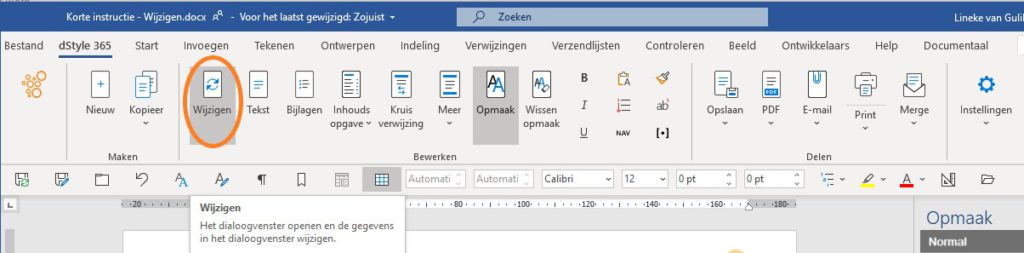
    Modify button in dStyle365 LegalWord365

    If you want to know more about filling in a dialog box, please refer to the article creating a new document.

    Related articles

    Discover more articles

    View more guides and tips in our knowledge center