Adding VSTO Variables
Sometimes the messages you get from the event log or dStyle365 log are not sufficient to identify the root cause of a specific problem.
In such cases, you can enable VSTO notifications, which will display a popup message for the add-in.
Start cmd in administrator mode. Enter the command 'rundll32.exe sysdm.cpl, EditEnvironmentVariables' and press Enter.
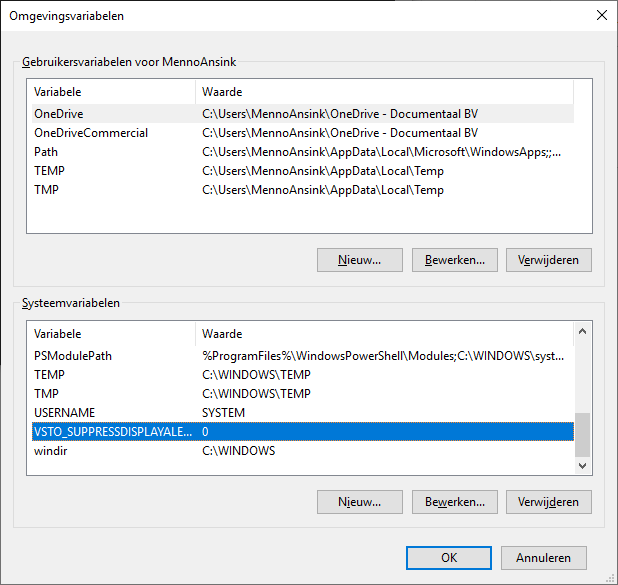
Under System Variables, add a new command:
Variable name: VSTO_SUPPRESSDISPLAYALERTS
Variable value: 0