Themes in Word are sets of coordinated visual elements, such as colors, fonts, and effects, that you can apply to your documents. They help you quickly and easily create a consistent and professional look. Word offers various built-in themes, including modern, formal, and creative designs. You can select a theme via the "Design" tab, and it will automatically be applied to your document. Themes can also be customized, allowing you to change the colors, fonts, and effects. With themes, you can effortlessly adjust the visual style of your documents and achieve a cohesive look.
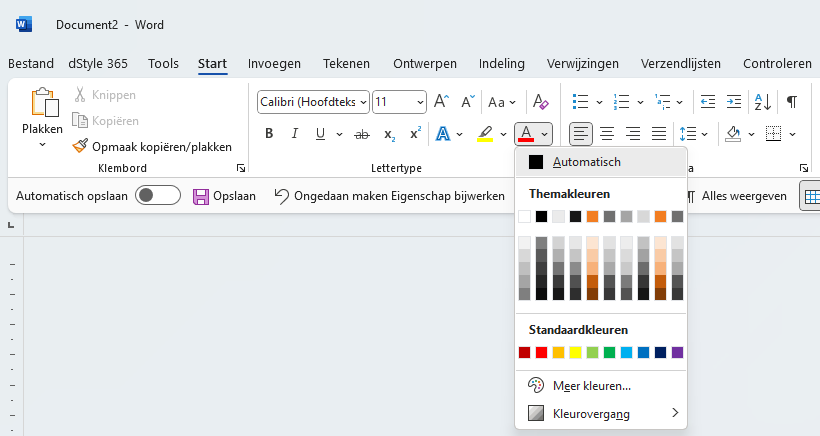
In the dStyle365/LegalWord365 software, your organization's house style is incorporated into the templates we use as a basis for letters, memos, blank documents, etc. This includes colors, fonts, font sizes, and indents. The colors you see under Text Color in the Font section of the Home ribbon are the colors that belong to your organization's house style. The same applies to the font.
For more information, please also refer to the site of our partner Microsoft: