Starting with a Blank Document
Starting with a blank document.
In the house style ribbon, click the New button and select Blank document (or Empty) to open a blank document.
A blank document is a document that contains almost nothing. Therefore, when opened, only a pre-dialog appears without variable data. However, this document does include the correct standard formatting. For example, you should consider font, font size, and line spacing.
You can use this document to create templates or start a new document. This ensures that you incorporate all the house style characteristics of your company.
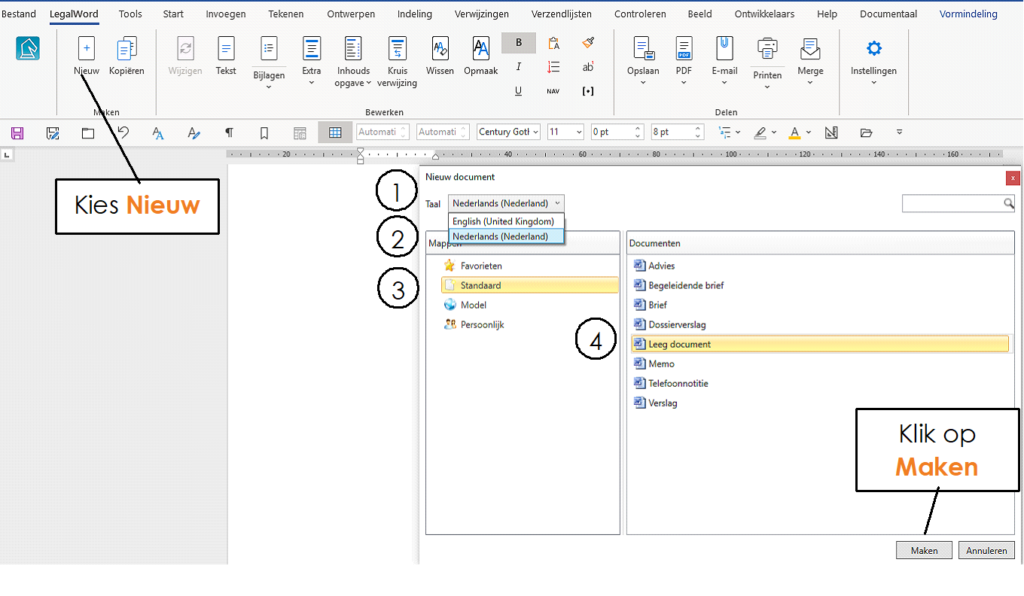
In LegalWord365, choose New. The window with models and templates appears.
① Click on the Language for the language in which the template will be formatted.
② Choose Dutch. The grammar and spell checker will be set to Dutch. As well as the number notations (1,000.00 vs 1.000,10)
③ Click on Standard
④ and in the right part of the window, select the Blank document template as the document type to be used.
Click the Create button. The Blank document window appears.
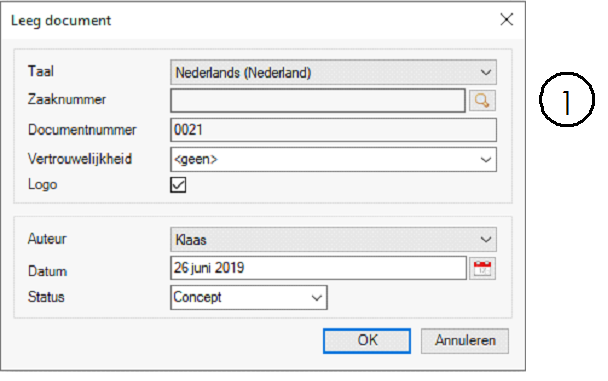
① Click the magnifying glass for the project or case selection.
Searching in DMSForLegal:
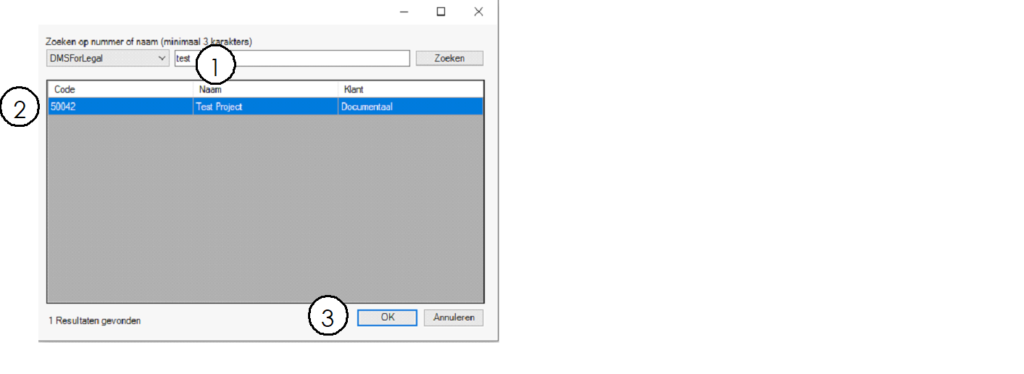
① Enter the case/project name or number
② Select the correct case
③ Click OK to continue
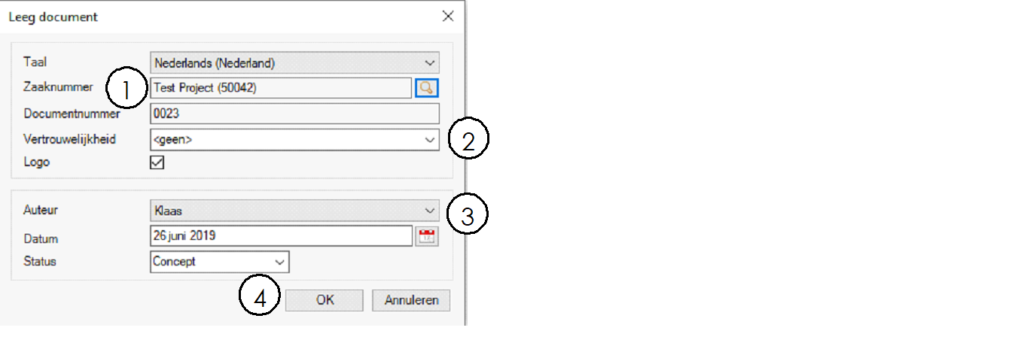
① The case/project name has been selected. And a document number has been generated. You do not need to adjust this further.
② Choose the confidentiality type of the document
③ Choose the author of the document. This can be yourself, or you create the document "on behalf" of another person.
④ Select OK to proceed
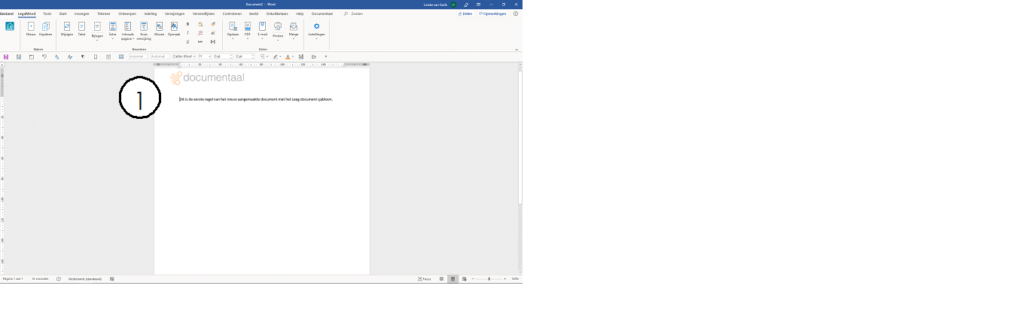
dStyle365/LegalWord prepares the Blank document for you!
Tip: do not use Microsoft's "Normal.Dot" document. This is a demo document from Microsoft with an example house style. Modifications to this document will be overwritten by Microsoft during updates and upgrades. Therefore, always use your company's Blank document as your starting point. Also because it contains your styles.