The spelling and grammar check in Microsoft Word is a feature designed to identify errors in text and suggest corrections.
Word Recognition
Microsoft Word includes a built-in dictionary with thousands of words. As you type, the words you enter are compared to the words in the dictionary. If a word is not recognized, it is marked as a possible spelling error.
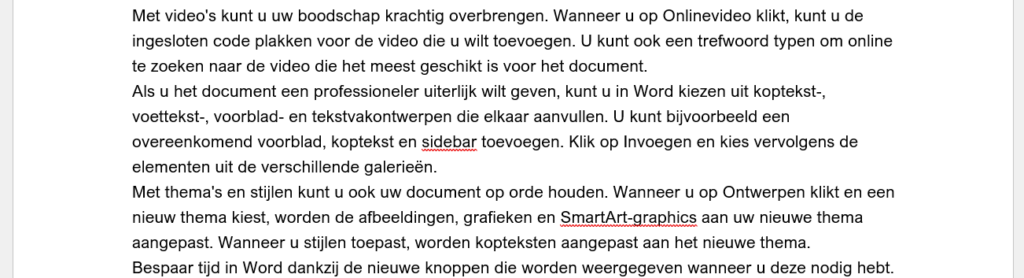
Red Underline
When Word recognizes a word as incorrect, a red underline usually appears under that word. This indicates that a spelling error has been found.
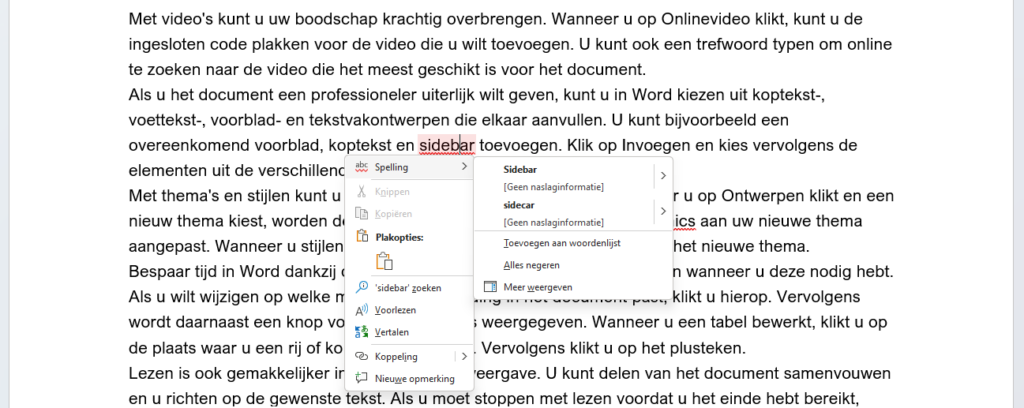
Contextual Suggestions
In addition to marking possible spelling errors, Word also provides contextual suggestions for corrections. When you right-click on a marked word, suggestions appear from which you can choose.
Grammar Check
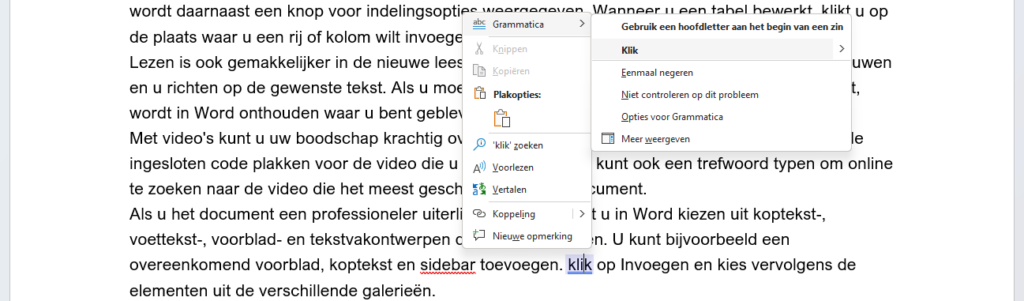
In addition to spell check, Word also offers grammar check. This feature can help identify grammatical errors, such as incorrect verb forms, missing punctuation, or inconsistent capitalization.
Grammatical errors are often marked with a blue underline. When you right-click on a word with a blue underline, suggestions for grammar correction will appear.
Customizations and Exceptions
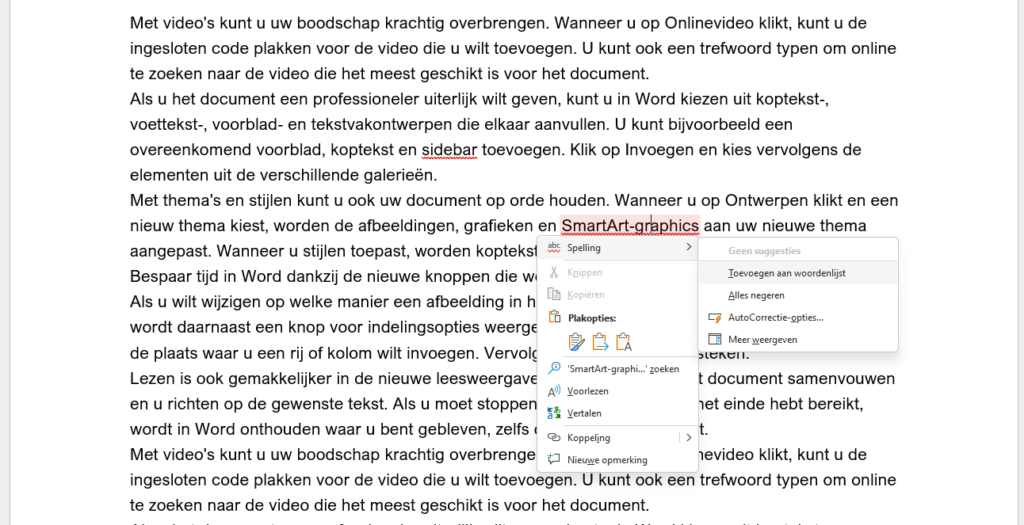
Microsoft Word also offers the ability to make adjustments to the dictionary and grammar rules. This allows you to add specific words not in the standard dictionary, or to adjust certain grammar rules based on your preferences.
To add words to the standard dictionary yourself, right-click on the word that is not automatically recognized (i.e., with a red line) and select Spelling. In the submenu that appears, select Add to Dictionary.
It is important to note that Word's spelling and grammar check can be helpful, but it is always advisable to use your own editorial judgment and not blindly rely on the tool's suggestions.
For more information, also see our partner Microsoft's site: Check spelling and grammar in Office