Sections in Word make it possible to format a document in different parts. With sections, for example, page margins, headers and footers, and even page orientation (portrait or landscape) can be set for specific parts of your document. Sections are used for pages with different layouts, such as Terms and Conditions or a page with columns.
Adding a Section
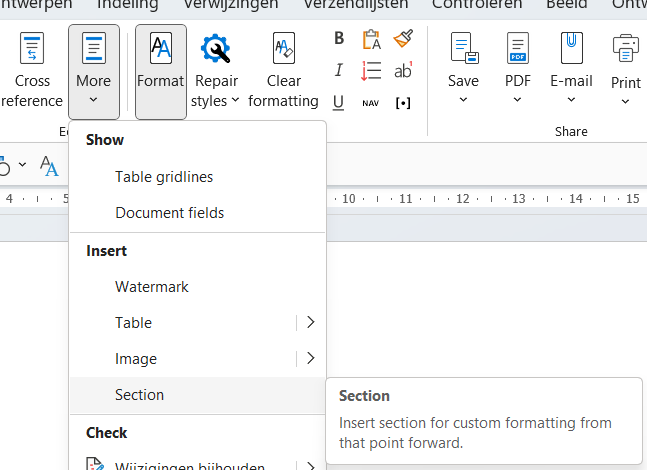
To add a section to the document, go to More and choose Section. This allows you to insert a landscape or portrait section.
Important tip
Note that if sections are accidentally deleted in a document, this can lead to unwanted behavior. A section break is clearly visible when the 'Show All' ¶ option is enabled. This significantly reduces the risk of a section break being unintentionally deleted.

For more information, see the site of our partner Microsoft: