Personal profile – Set as default
You can also create a default profile in the profiles center (the Profiles window). The purpose of this is that for all documents, the author always remains the same until you change the default. This person can be yourself or someone you frequently work for.
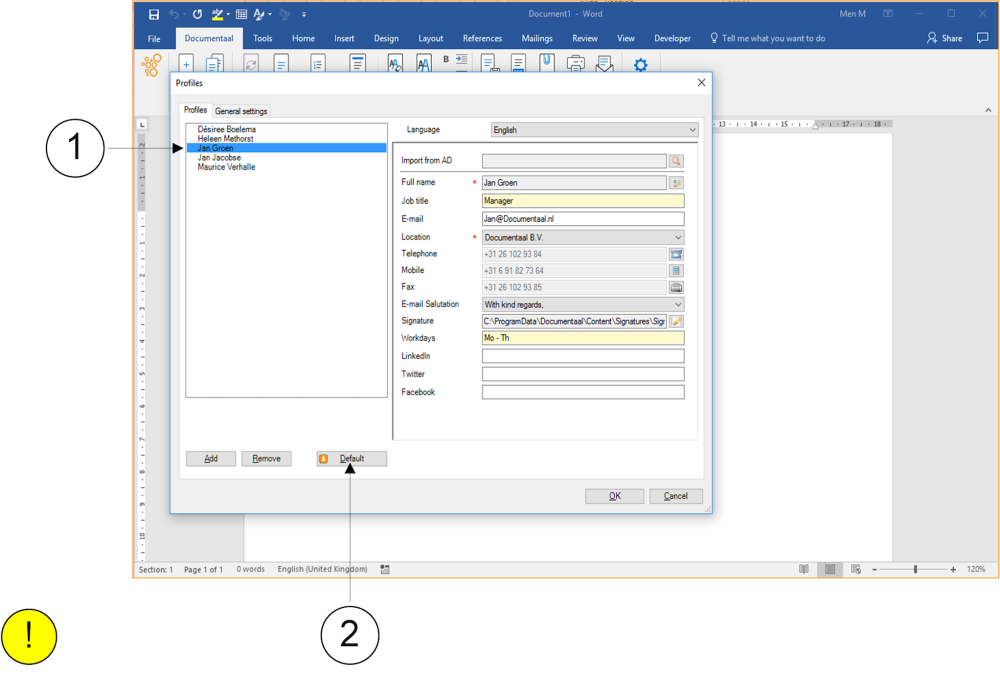
① Select a name in the left part of the Profiles window.
② Click the Default button. From now on, you will use this profile and thus the data of this person, until you change it again.
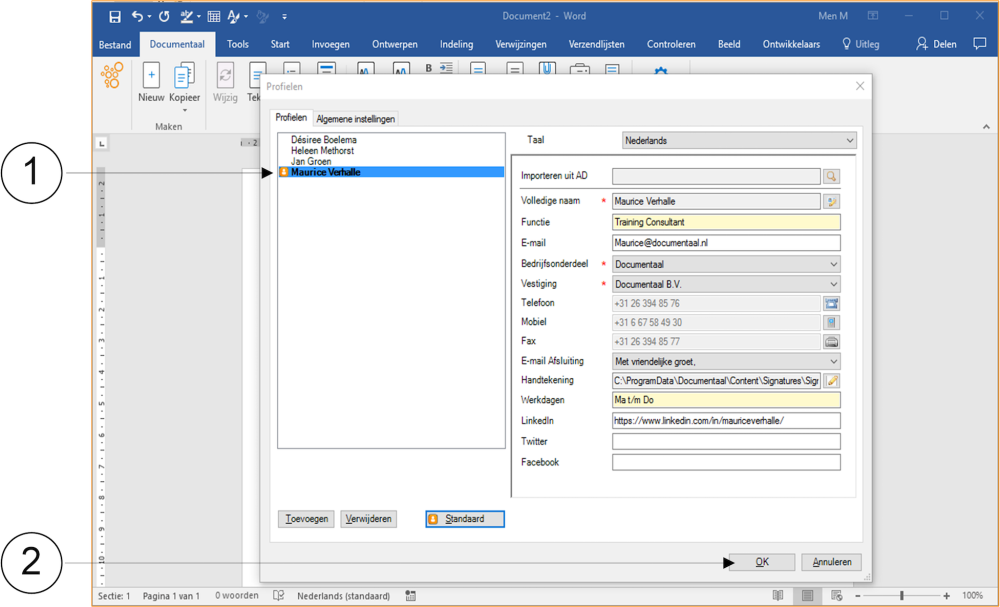
① The selected person is now shown in bold in the left part of the Profiles window. Additionally, an orange icon has been added to the name to further indicate that this person is set as the default profile.
② Click the OK button to close the Profiles window.