Create and email PDF
A PDF can be created in two ways, directly or via email.
Directly
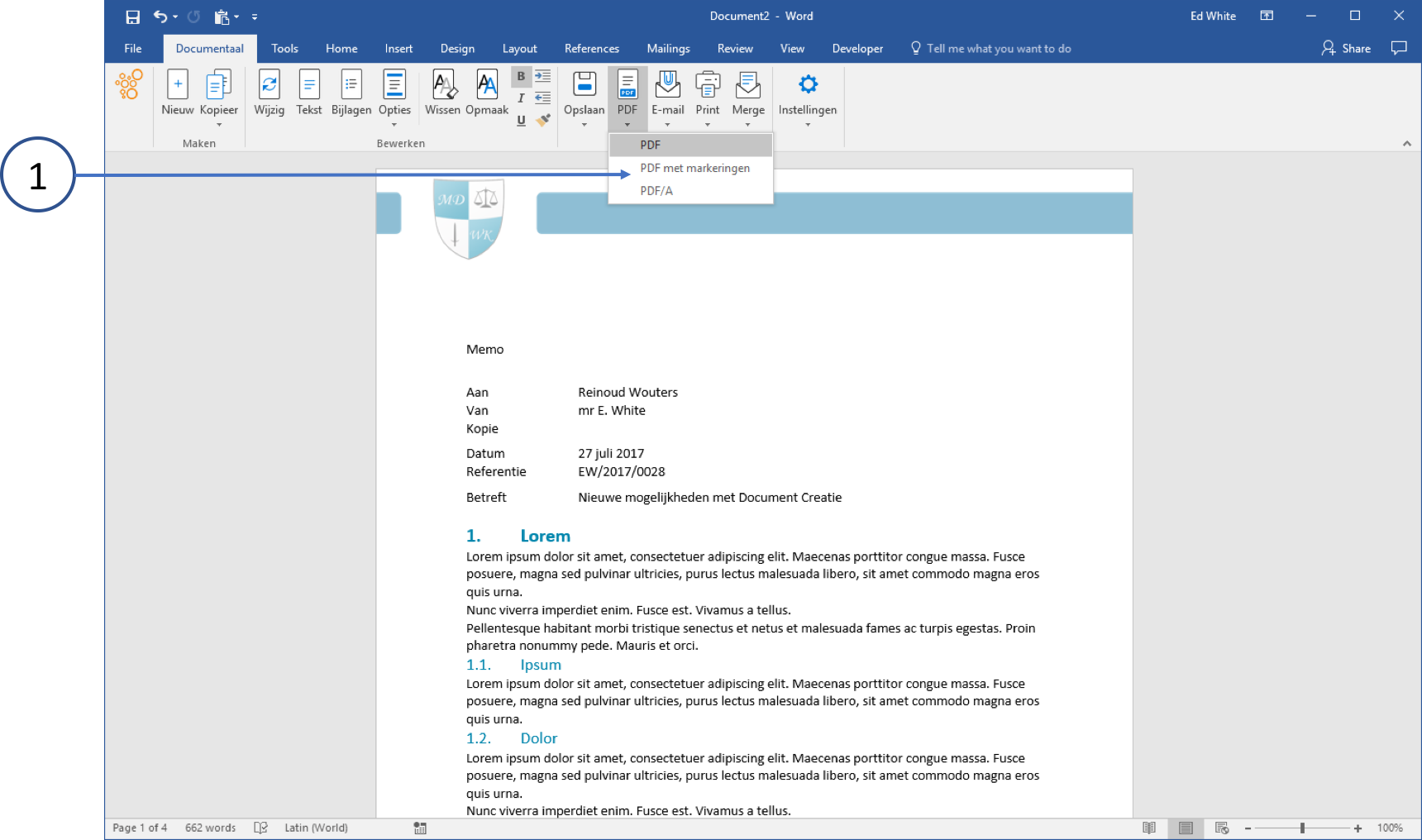
Create a document and save it if necessary
① Click the PDF button in the dStyle365 Ribbon.
You have a choice of 3 types of PDFs here. Standard (with markups) or PDF/A. This is used for (A)rchiving purposes.
You only need to use this if the recipient specifically requests it.
Via E-mail
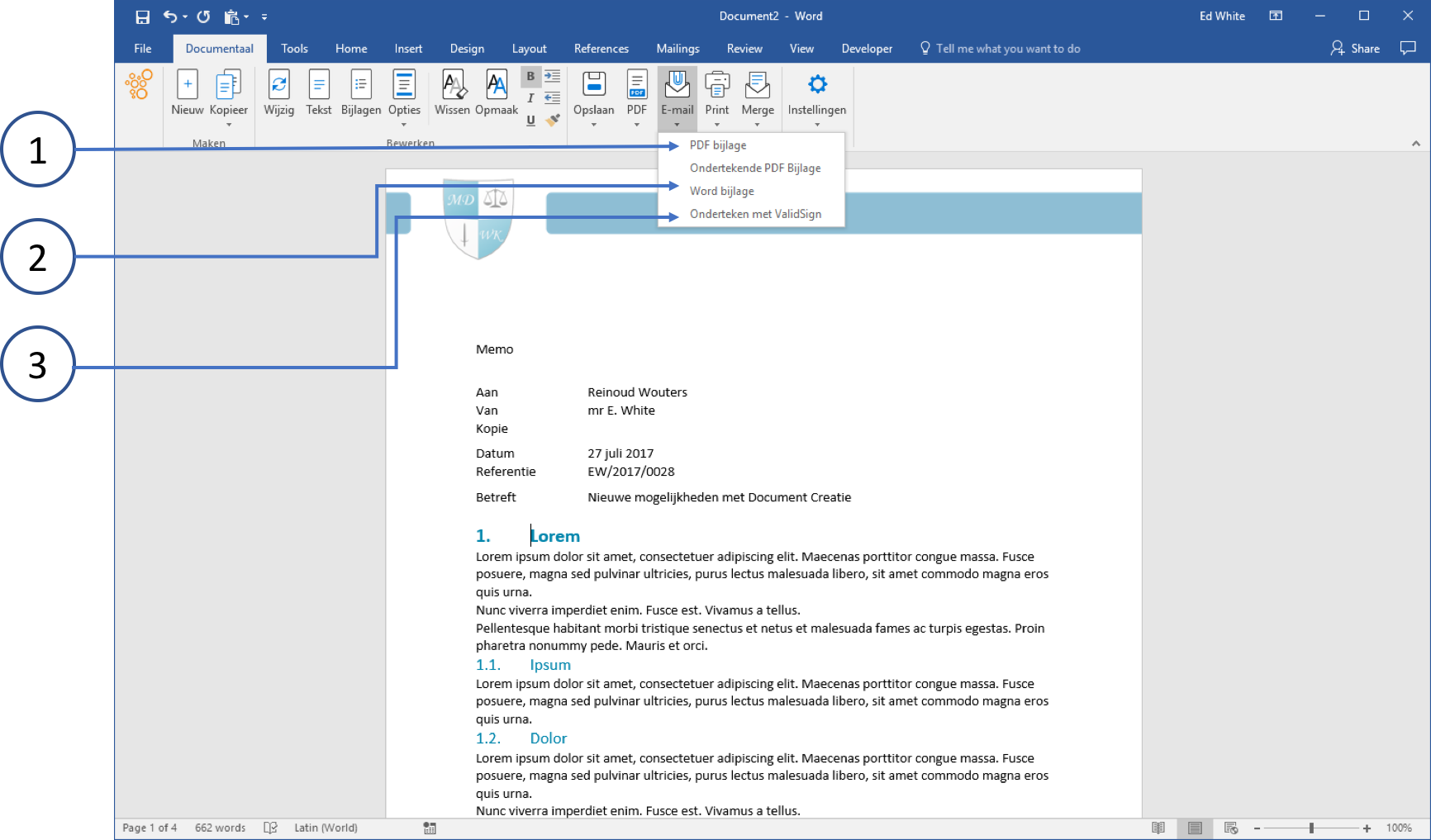
Create your document in Word (or other Office applications) and save it if necessary
① Choose E-mail and select the PDF Attachment option.
② You can also send the document as a Word attachment
③ And if your organization has a digital signature, you can easily "sign" the document directly here.
If the document has already been saved to Storage, the PDF will be saved in the same dossier.