Outlook
MailControl is a component of dStyle365 that determines automatic email signature company-wide.
Personal Signature Settings
Just like in Microsoft Word, Outlook uses the dStyle365 Profile Center. Personal settings can be changed in Word. To do this, go to Settings -> Language and email signature in the dStyle365/LegalWord365 ribbon in Word.
Signature Options
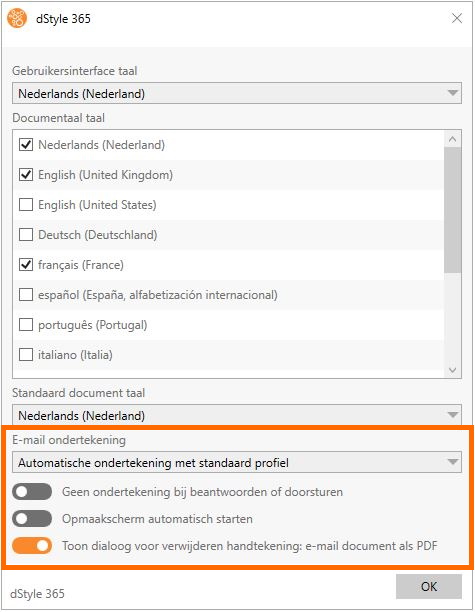
• Automatic signature with standard profile
The signature is inserted with every email. It can be changed with the 'Signature' button.
• Choose the profile for each email
A dropdown list of profiles appears, indicating on whose behalf the email should be signed. This is useful if you have multiple roles or locations.
• No automatic signature
Create an Outlook email
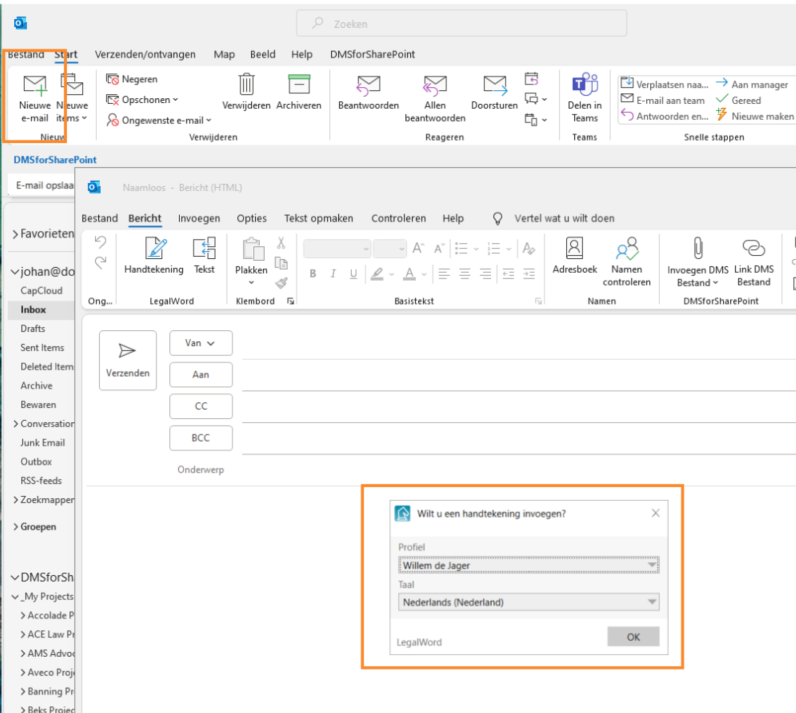
① Open Outlook and click on the New Mail icon
② Choose the sender (the default can be set in the profile center) and the language in which the email is formatted, considering the signature, any disclaimer, and marketing texts.
Format Outlook Email
Just like with Word, it is possible to include standard texts in the email.
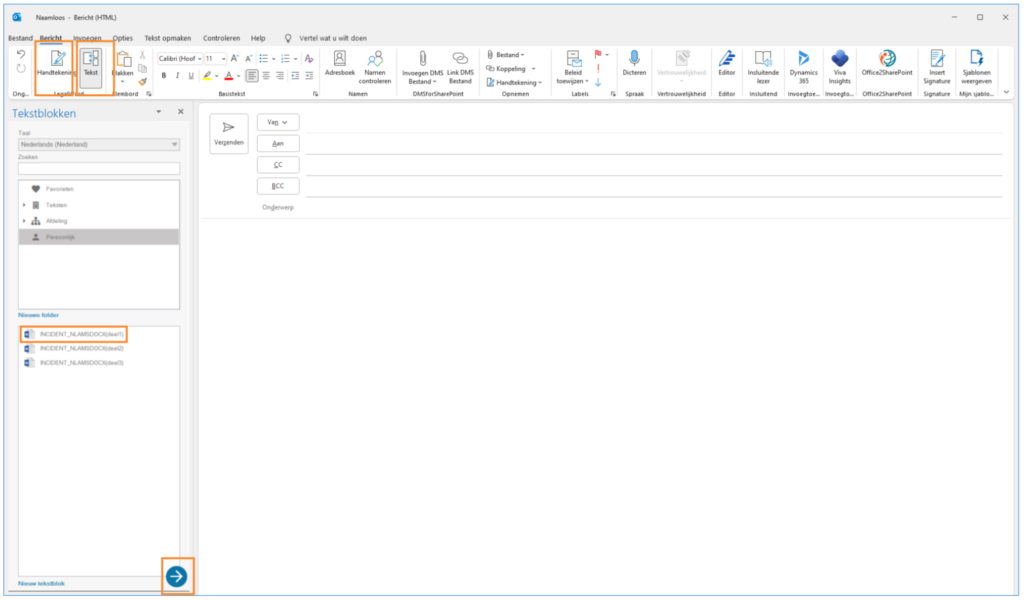
① Insert signature – this icon allows you to manually insert a signature
② Text – Click to show the Insert Texts overview and search for the text
③ Click on the text to select it and then on the arrow to insert it into the email