Remove Formatting (the Eraser!)
The eraser removes as many styles as possible and resets the document to the default style.
This is especially useful when styles are incorrect or when, for example, text has been copied from the internet.
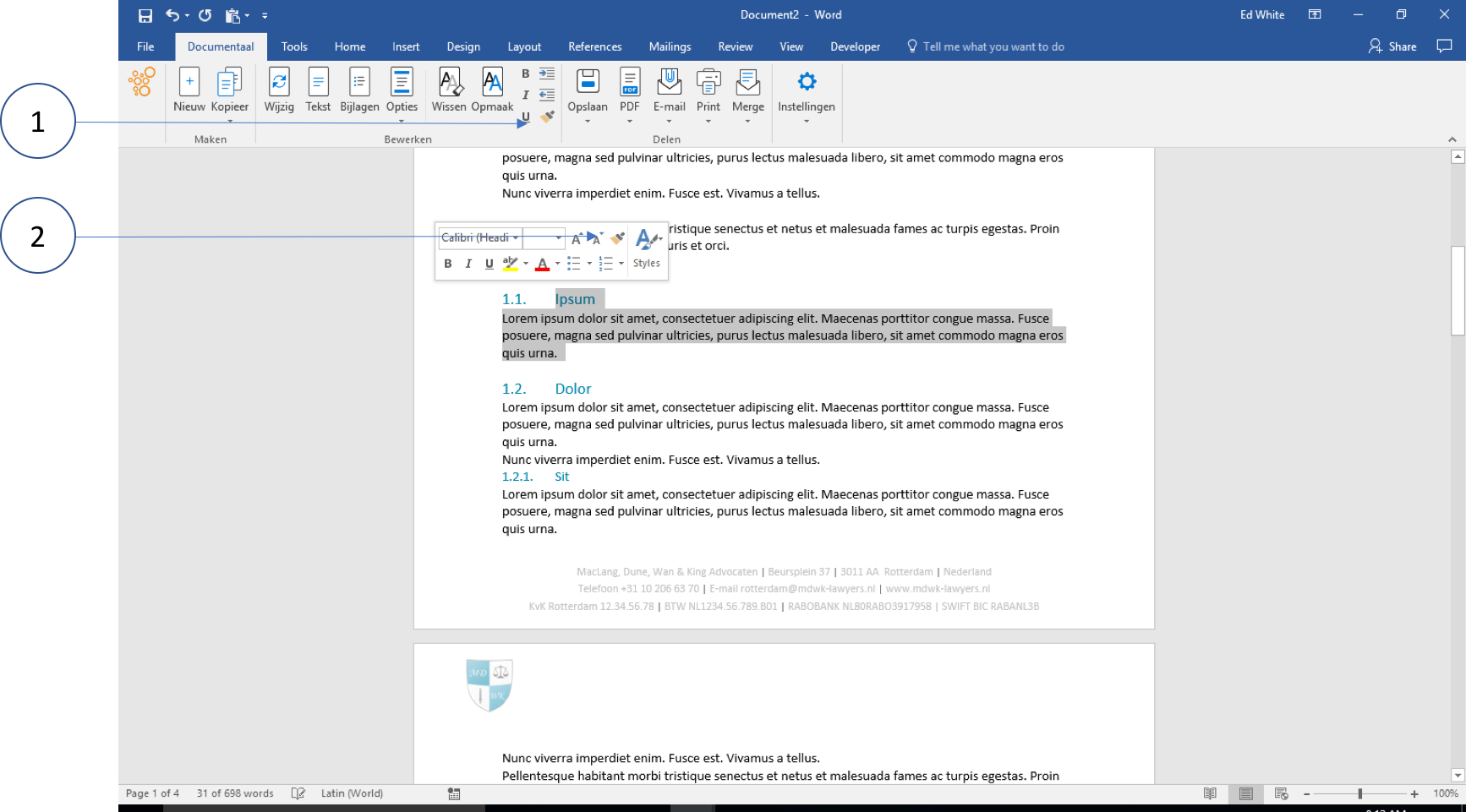
① Remove formatting with the Eraser from the Ribbon
② Remove formatting with the (same) Eraser from the quick menu using the right-mouse button
Usage
Select a text with numbering
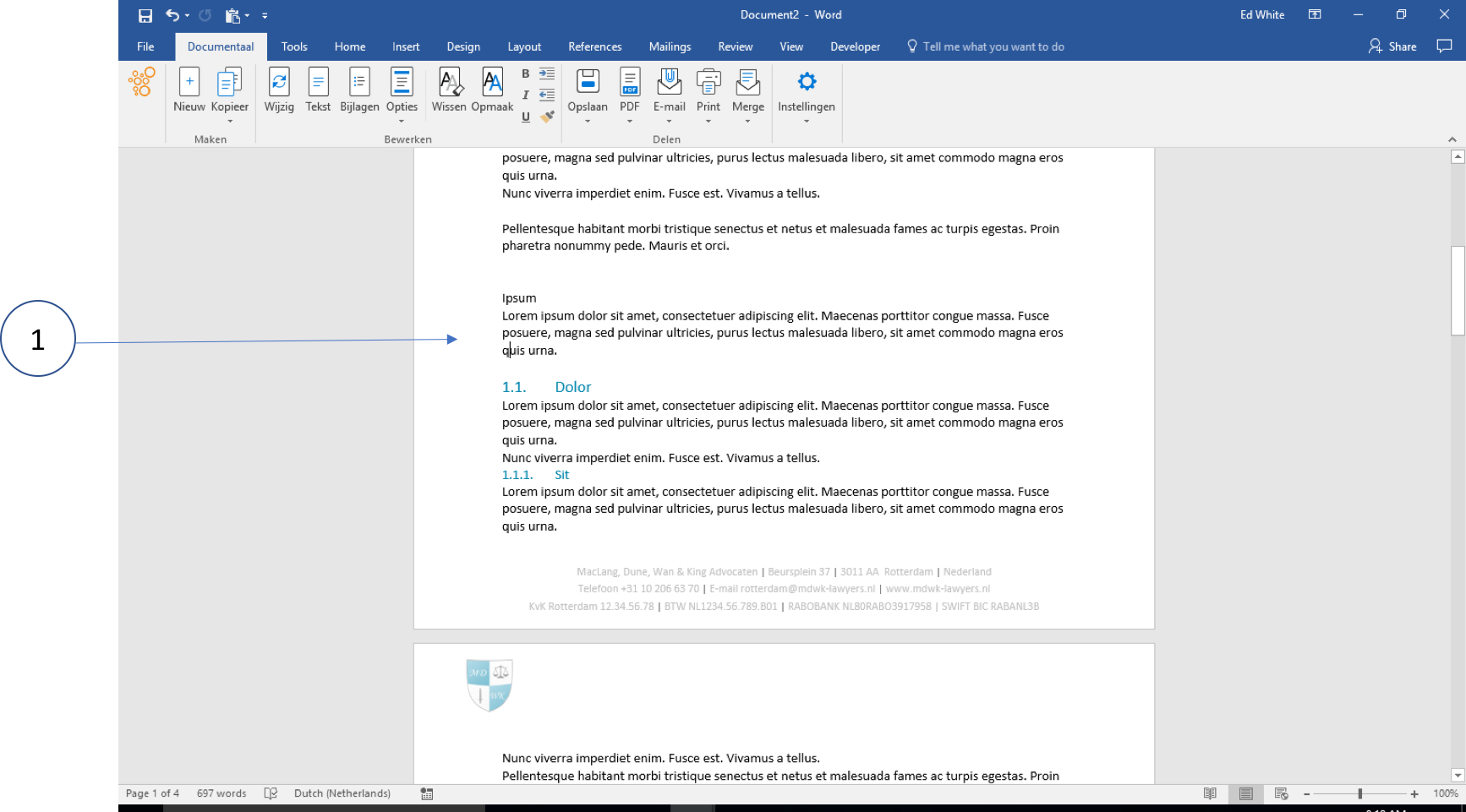
① Click on the eraser. The formatting has now been removed
Now apply a different numbering from the styles bar.
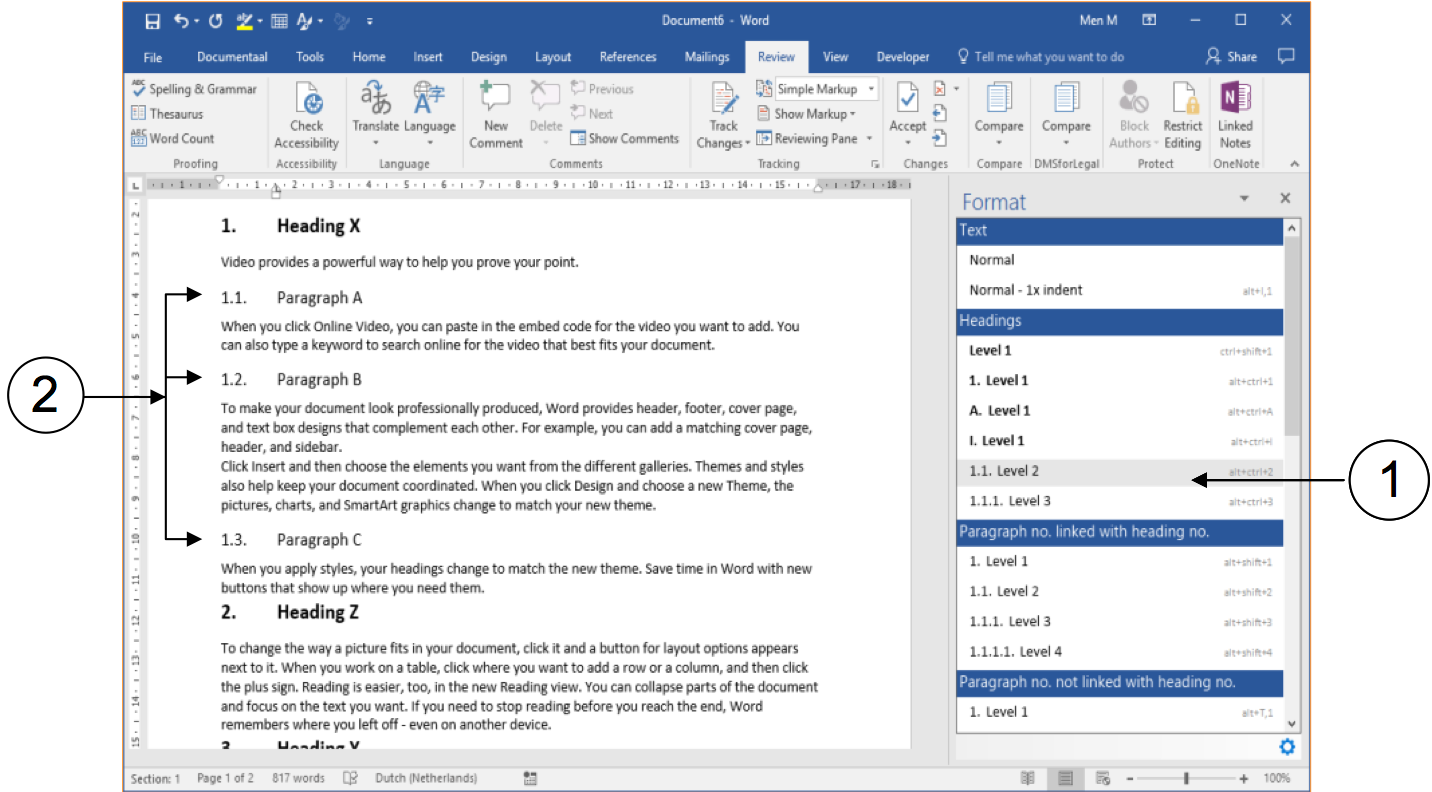
① Select the paragraph/text
② Apply the correct style