logging
    dStyle
    LegalWord
    troubleshooting
    technical

    Retrieve Logging

    To pinpoint the source of a problem, logging can be enabled and viewed in dStyle/LegalWord. Learn how to set the log level to Trace and send log files.

    Published on May 16, 2026
    1 min read
    Documentaal knowledge center

    Retrieve Logging

    To pinpoint the source of a problem, logging can be enabled and viewed in dStyle/LegalWord.

    Go to Settings and choose 'About…'. Click F11 for more settings.
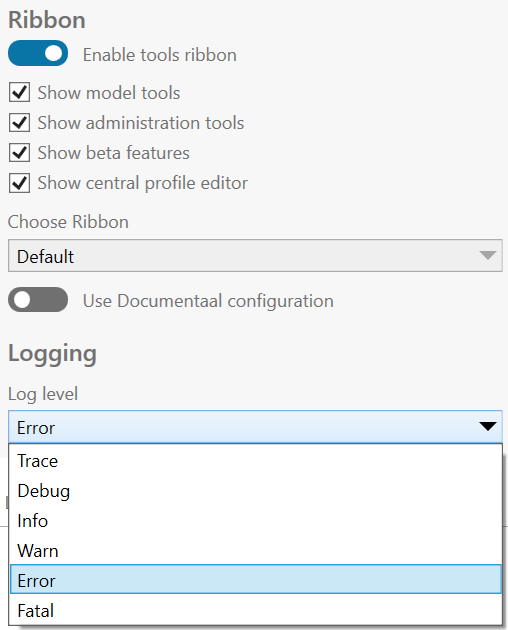
    Settings screen

    Set the Log level to 'Trace'

    Close this screen and then click F12. A new window will appear.
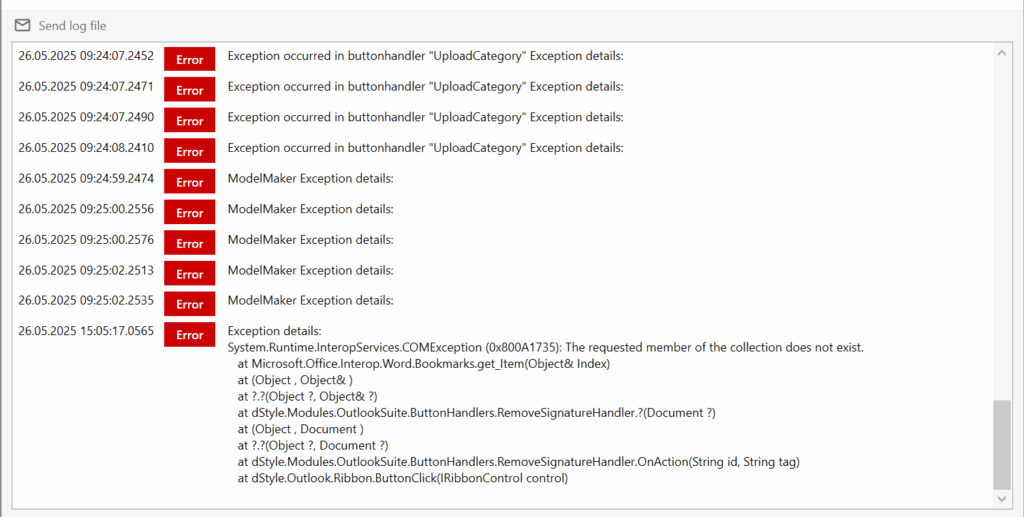
    Logging window

    Click 'Send log file' to allow the helpdesk to investigate.

    Discover more articles

    View more guides and tips in our knowledge center