Cross-references in different text blocks
When creating a dynamic model that includes text blocks with internal references, a standard cross-reference is not possible. The reference will not be found.
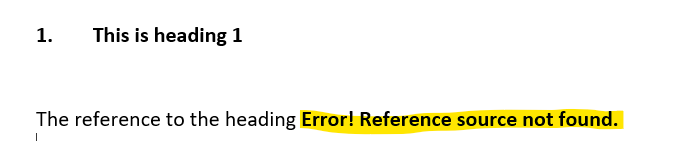
To remedy this, place a bookmark with the prefix 'dStyle' at the heading to refer the cross-reference to it.
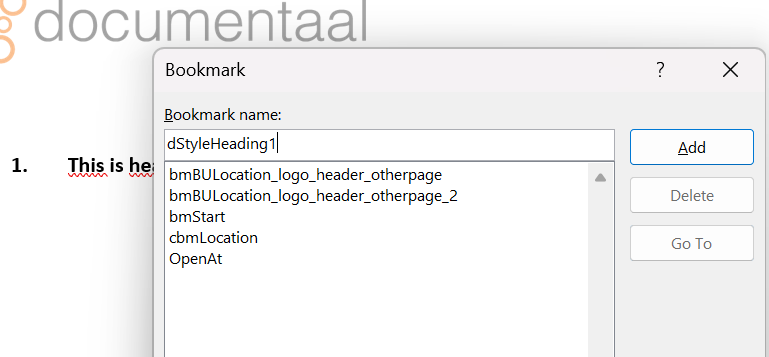
Open the text fragment containing the desired reference location, place your cursor there, and click the 'Bookmark' button in the 'Insert' menu.
Create a bookmark named 'dStyle…..' where the dots are replaced by a unique name.
Go to the text fragment containing the cross-reference, right-click on that cross-reference, and insert the bookmark name after REF.

This way, the reference is permanently defined across multiple text fragments.