Copy, paste and paste options
Usage
- Open a Word file
- Copy a piece of text (select and Ctrl + C)
- Place the cursor in another location in the document where the copied text can be pasted
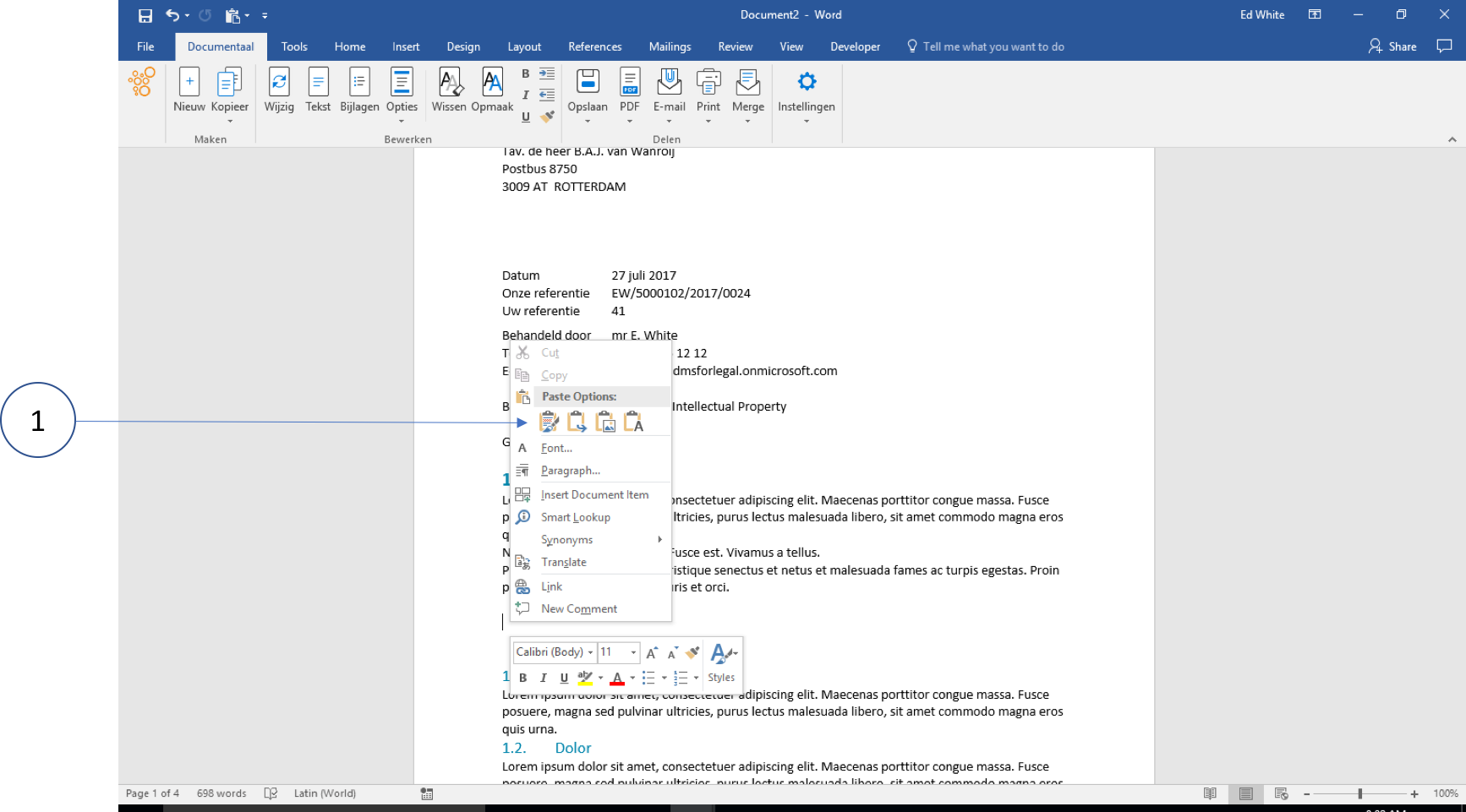
① Right-click and choose one of the paste options
Three paste options
There are now 3 ways to paste this text:
a. Keep Source Formatting
Option a. Keep Source Formatting is a dangerous option. By using this option, the style and formatting of the source document will be applied to the target document. This can be repaired afterwards by using the Eraser and then re-assigning the correct style using the buttons in the dStyle365/LegalWord365 Ribbon.
b. Merge Formatting
Option b. Merge Formatting is a good option when the source document is well-structured. Word then tries to make the styles match.
c. Keep Text Only (recommended)
Option c. Keep Text Only is the best option. By pasting only the text (without formatting), the formatting of the target document remains intact.
With the options under "Edit," the correct style can then be applied easily and quickly.