Checking the loadbehavior of dStyle365/LegalWord365 in the Registry Editor
It can happen that the dStyle365/LegalWord365 ribbon is not (or no longer) visible in Word or Outlook. In such cases, it may have been disabled. This sometimes occurs when Word is shut down improperly or unexpectedly crashes.
In most cases, the dStyle365/LegalWord365 add-in can be re-enabled manually in the Word or Outlook options.
If the dStyle365/LegalWord365 ribbon does not appear after the above action, you can check the loadbehavior of the add-in to make an adjustment. The loadbehavior can be found in the Registry Editor at the following locations:
For Word:
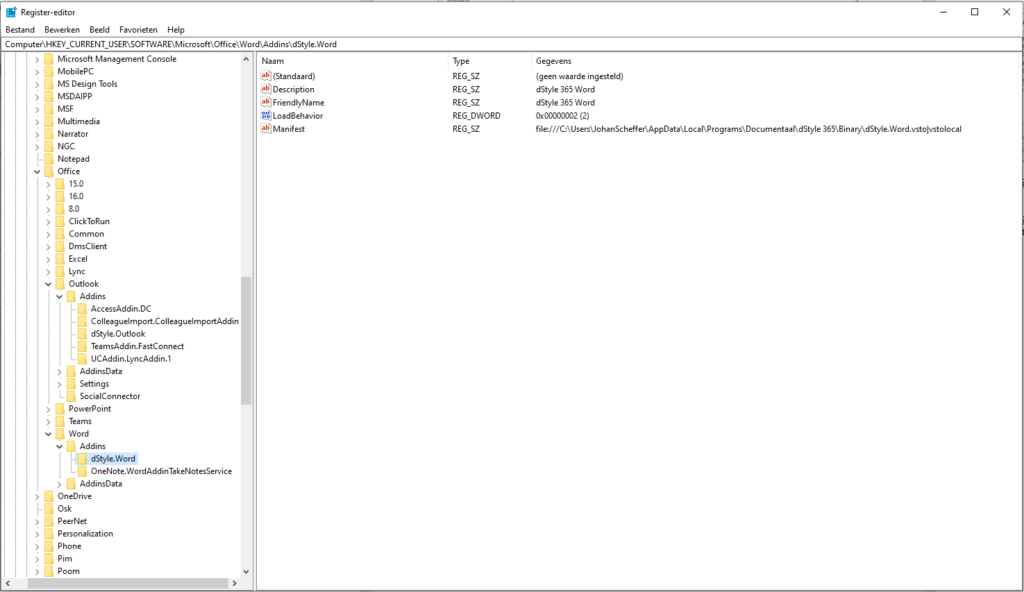
Computer\HKEY_CURRENT_USER\SOFTWARE\Microsoft\Office\Word\Addins\dStyle365.Word
For Outlook:
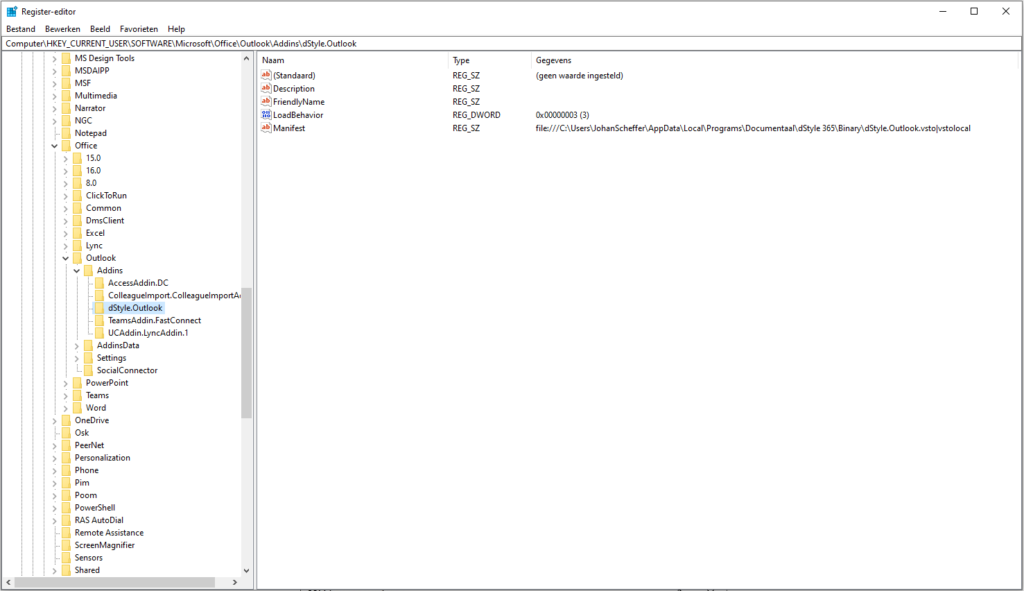
Computer\HKEY_CURRENT_USER\SOFTWARE\Microsoft\Office\Outlook\Addins\dStyle365.Outlook
When the add-in is disabled, the loadbehavior is set to 2.
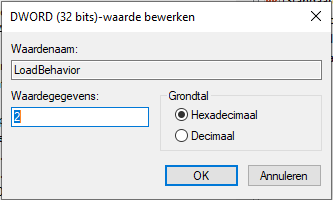
Modify the line with the loadbehavior by double-clicking on LoadBehavior and change the value from 2 to 3.
Restart Word or Outlook for the change to take effect.