A numbered list in Microsoft Word is used in situations where the order or identification of items is important. In DStyle/LegalWord365, we ensure that numbered lists in your corporate style, meaning with the correct font, font size, and proper indentation, are available in the Formatting pane so you can access them with a single click.
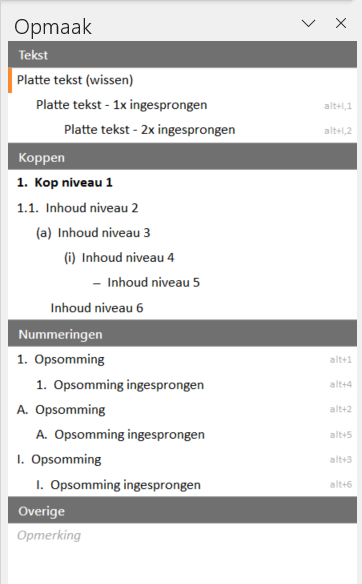
Here are some situations where you might use a numbered list:
Step-by-step guides
If you are presenting a series of instructions or steps that must be performed in a specific order, a numbered list is useful. Numbering the steps ensures that the reader can follow the sequence.
Example:
- Create a new document.
- Type your text.
- Save the document.
Enumerations
If you want to display a list of items where the order is not strictly important, but each item needs to be identified with a number, a numbered list is appropriate.
Procedures
When describing complex procedures, a numbered list can help clarify the steps and emphasize the sequence.
Example:
- Turn on the computer.
- Open the program.
- Select "File" and then "New".
In general, a numbered list is used when the order of items is important or when you want to identify specific items. It provides an organized and structured way to present information, allowing the reader to easily follow and identify the items.
More information
For more information, also see the site of our partner Microsoft: