DocAuthor
Every Word document is assigned metadata upon creation and saving. This includes size, word count, page count, etc. The DocAuthor of the document is also stored. This information can be found by clicking on File and then on Info:

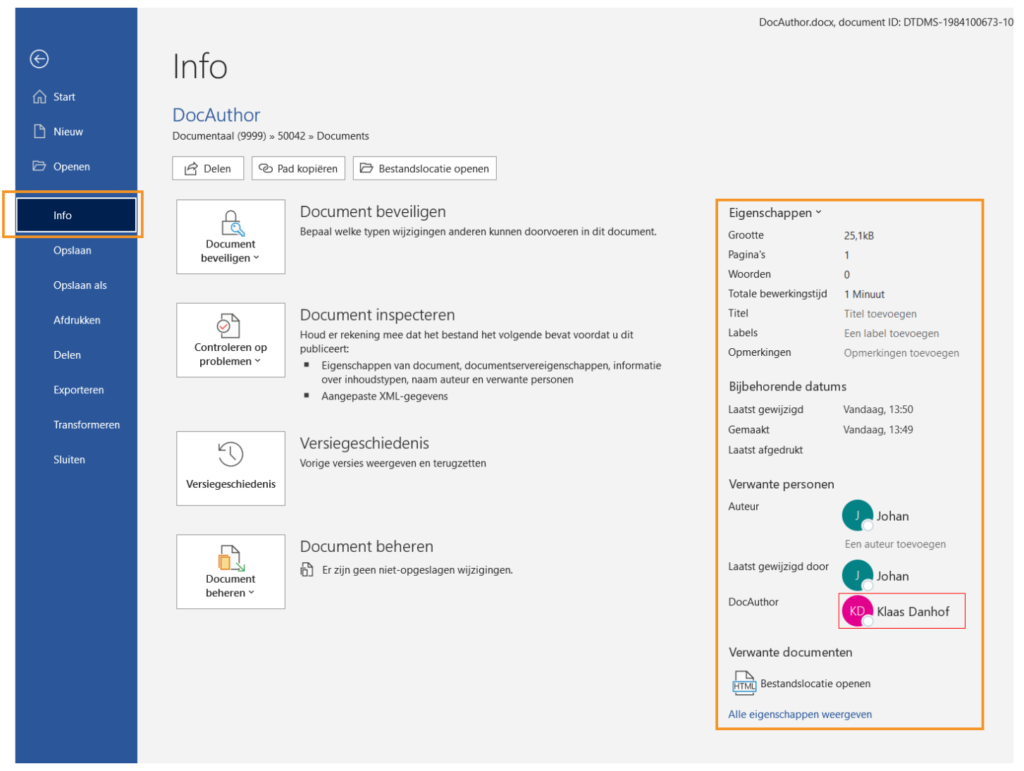
The DocAuthor is automatically added based on the username of the person who creates the document when saving the file to the DMS.
To remove the DocAuthor, right-click on the name,
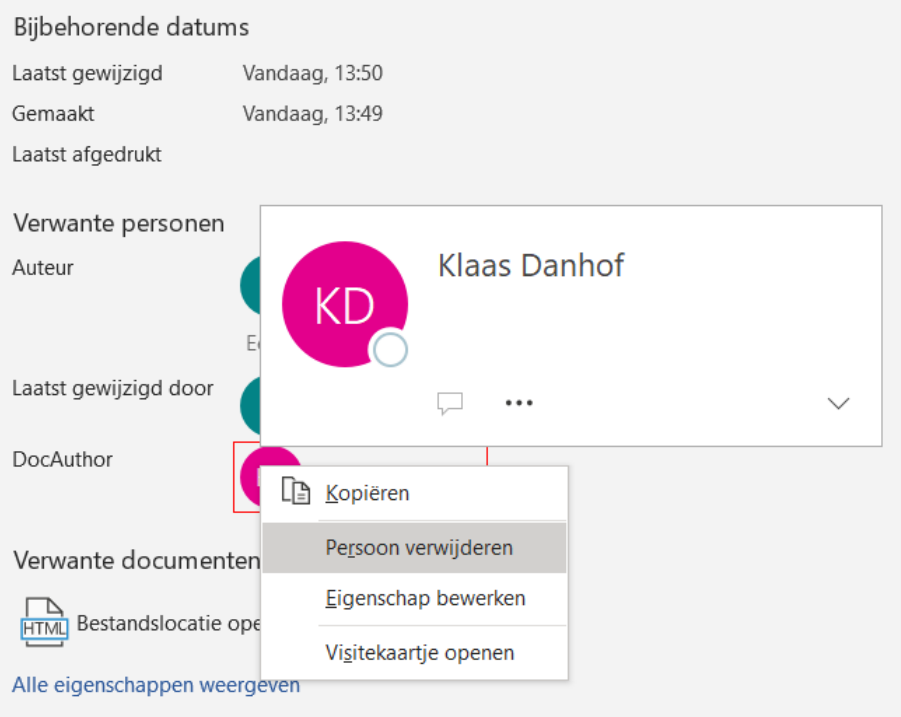
And then click the button; Remove Person.
Possible issues
Occasionally, you may receive an error message when trying to save a document to the DMS. This can happen if the person listed as DocAuthor in the document is not known in the DMS. You can resolve this by:
- Removing the person's email address and only entering the person's name
- Entering an email address that is known in the DMS
- In the DMS settings, ensure that the DocAuthor's email address does not need to be included when saving the document.