printing
    quick print
    paper settings
    document printing

    Non-standard printing

    In practice, it is sometimes necessary to deviate from the standard print settings. Use the 'Quick print' function to print on different paper.

    Published on January 6, 2026
    1 min read
    Documentaal knowledge center

    Non-standard printing

    In practice, it is sometimes necessary to deviate from the standard print settings. To do this, click on the bottom half of the 'Quick print' button and then select the 'Print on different paper' option.

    In the dialog box that appears, select the type of paper on which you wish to print the document. Then click 'Print' to print the entire document on the selected paper type.
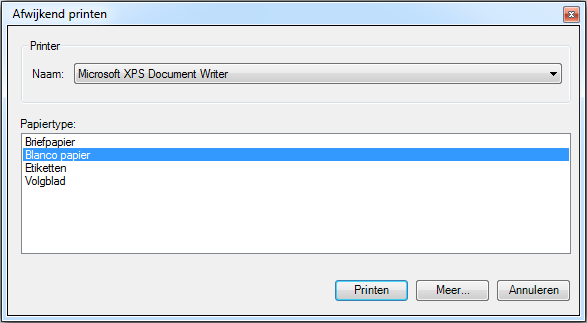
    Non-standard printing dialog box

    Related articles

    Discover more articles

    View more guides and tips in our knowledge center