Printing
When printing, controlling printer trays is often a problem. A print job is given, but then it turns out that the correct printer tray with the desired paper is not used. In addition, there are documents where pages need to be printed on different types of paper, such as the first page on letterhead and the remaining pages on plain paper.
Print control solves this problem and ensures the correct control of the printer trays for all your printers. See Set up Print Control (Settings choose Printer Trays).
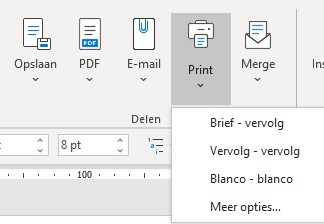
Once the printer trays have been set up, press Print before printing the document and choose a different paper type if necessary.